Maintenance Tips to Extend the Lifespan of Your Printing Machine
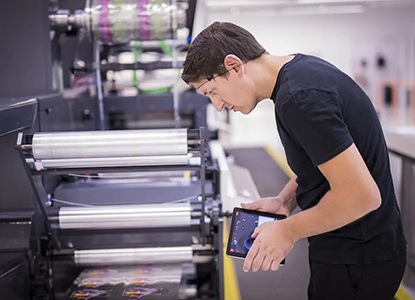
Regular maintenance is key to maximizing the lifespan of printing machines. Proper care prevents breakdowns, ensures consistent print quality, and reduces operational costs, keeping machines productive and reliable for long-term business success.
- Clean Machines Regularly: Remove dust, ink residues, and debris after each use. Regular cleaning prevents clogging, mechanical wear, and ensures consistent print quality.
- Lubricate Moving Parts: Apply manufacturer-recommended lubricants to gears, rollers, and bearings. Proper lubrication reduces friction, prevents overheating, and extends machine life.
- Inspect Belts and Rollers: Check for wear, misalignment, or damage regularly. Timely replacement prevents print errors, machine jams, and costly repairs.
- Monitor Ink and Toner Levels: Maintain appropriate levels to avoid low-quality prints and damage to the machine components caused by running empty cartridges.
- Update Software and Firmware: Keep digital printing machines updated with the latest software. Updates improve performance, add features, and fix technical glitches.
- Follow Proper Operating Procedures: Train operators to use machines correctly, including startup, shutdown, and handling. Proper usage prevents accidental damage and reduces downtime.
- Schedule Professional Servicing: Regularly consult certified technicians for inspection and maintenance. Professional servicing detects issues early and ensures optimal machine performance.